

If you’ve read a lot of blogs about Performance Max over the past few years, you probably have a pretty specific opinion about it: it’s Google’s black box. And I’ll admit, I’m guilty of having that opinion and sharing that sentiment. But in my defense, it was well-earned… until recently.
In the last year or so, Google has tried to open up Performance Max campaigns for better controls and insights. Now it’s very easy to understand what’s going on with PMax, so in this article, we want to introduce you to all the ways you can track and understand the performance of your campaigns.
Contents
How to Track Your Performance Max Campaign Performance
At the highest level, we need to know if Performance Max campaigns are converting in a fundamental sense. There are a few ways we can do this.
Conversion Tracking in Google Ads
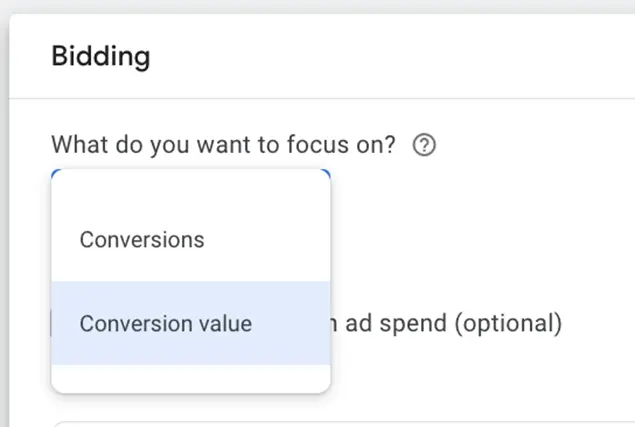
All Performance Max campaigns require you to track conversions. They only allow bidding on conversion volume or conversion value, so without conversions, there is no PMax.
These are easy to set up, and you will be able to see all the conversion performance in the conversion column in the interface.
💡 PMax campaigns use Smart Bidding.and you can learn how to implement Smart Bidding fast with our free, foolproof guide to Smart Bidding!
Google Analytics 4 Performance Tracking
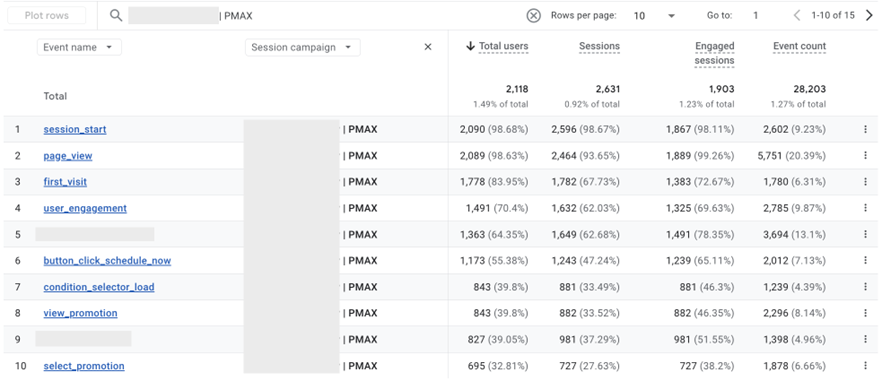
If you’re taking advantage of auto-tagging, you’ll be able to see your PMax campaign performance in GA4 as well.
These reports aren’t always as customizable as I’d like, but there are easy ways you can Session campaign name To see how these campaigns are generating events and driving engagement on your site.
Internal CRMs with UTM tracking
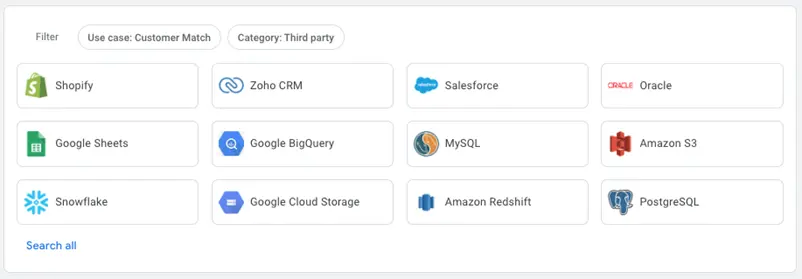
Whether you’re selling products or generating leads, you likely have some form of customer relationship management software in place to track how your customer base is interacting with your business.
Almost all of these platforms have some form of channel and campaign tracking that you can use to monitor how each effort is contributing to your goals.
If you are leveraging UTM tracking parameters on your PMax ads, you will be able to see this performance in your CRM.
3 PMax Reports You Can Use for Optimization
Beyond top-level performance, we want to look at what’s working well in a Performance Max campaign. This is where most of the frustrations with PMax reporting come from. For the longest time, we only got directional insights into what was working and what was changing, and even when we knew, there wasn’t much we could do about it with limited optimization controls.
But as of last year, that has changed a lot. Here are my favorite reports to review for Performance Max campaign optimization.
⚡Want more ways to improve your Google Ads strategy? Get started with a free, instant account report using our Google Ads Grader!
1. Search Term Insights
The main frustration I had with PMax Campaigns in their original form was the elimination of my existing search campaigns.
Because PMax runs on all Google platforms, it regularly appears on the search network.

While you can provide search themes (the targeting option that most closely matches keywords in PMax), campaigns can still show for any keywords that Google believes are relevant to your website. With this comes a lot of overlap between your current search keywords and what PMAX is activating for. But what’s worse is that for most of PMAX’s history, we didn’t find the search terms that were triggering.
Now, you may find many search terms (sometimes more, but never more) showing your PMax campaign in a few different places. The first is on the Insights tab, and it will show you some top-level search term themes as well as some insights on performance metrics.
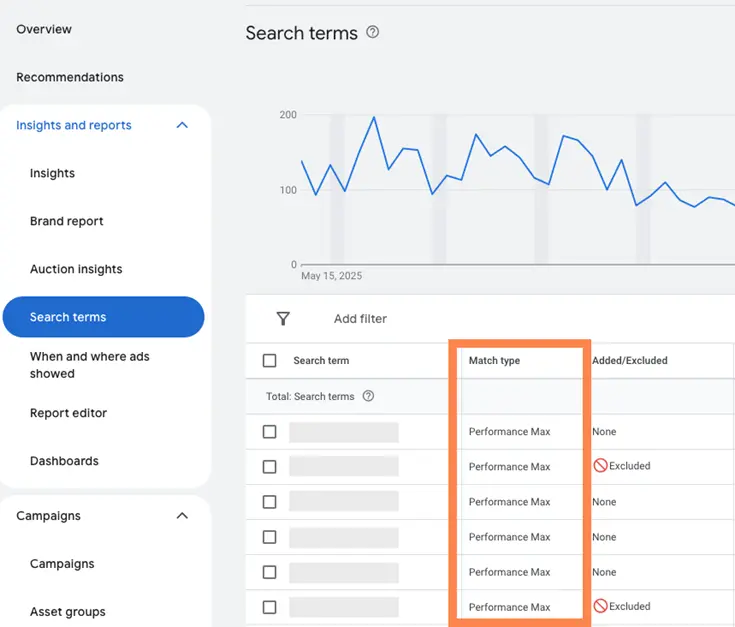
But a better report is one that came out recently: Good old search terms report. Now advertisers can see the search terms that were launched for their PMax campaign just like we see them for search campaigns.
The image below is filtered for Max Performance campaigns only, but if you review the Search Terms report at the account level, you’ll be able to distinguish which terms were from Search campaigns vs. PMax campaigns based on the Match Type column.
How can you optimize based on the search terms report?
With search terms displayed, you have almost all the same controls as you now have with search campaigns in Performance Max.
Don’t like a question you’re being featured for? Add a negative keyword to your campaign.
Don’t want PMax to show for your brand terms? Add a negative keyword list full of all variants of your brand name to the campaign.
Looking for terms unrelated to your business that you’d never want to show? Add a negative keyword at the account level.
The ability to add negative keywords to PMax was the biggest stumbling block I got most clients to try. Without these insights and controls, we were flying blind and not entirely sure where we were going.
2. Report of deployments
Like the Search Terms Report, the Placement Report shows you where your PMax ads have been shown on the Google Networks.
i Reports Editor, scroll down until you see Maximum Performance Placement Report.
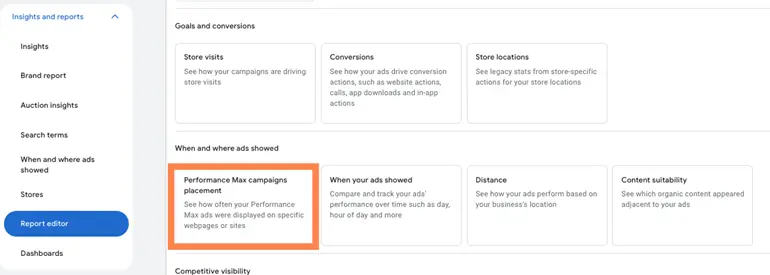
Unfortunately, at the moment, this report is quite limited as it will only show you the number of impressions for each placement, but it can still be very helpful if you’re getting a lot of unrelated placements.
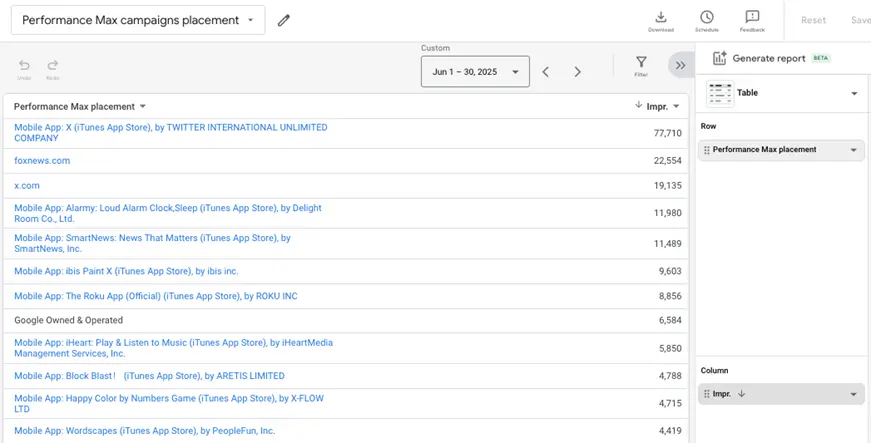
While this account report may look bad to a company, it’s actually not too bad for what we’re advertising. We see really strong performance from PMax, and most users are on mobile when they search for the service, so capturing users while they’re in apps is working really well for us.
How can you make corrections based on the placement report?
At this stage, PMax placement controls are only available at the account level. So if you have placements that you don’t want on PMax, but want to show in other campaigns, you’ll likely need to skip this step, as this will remove a placement from all campaigns in your account.
But if you don’t want to specify any placement at all, this solution will take it out of PMax and instead remove it everywhere. win
Once you have your list of URLs you want to exclude, go through them. Content Part of the interface and navigate. Exclusion. In the upper right, click Edit the output..
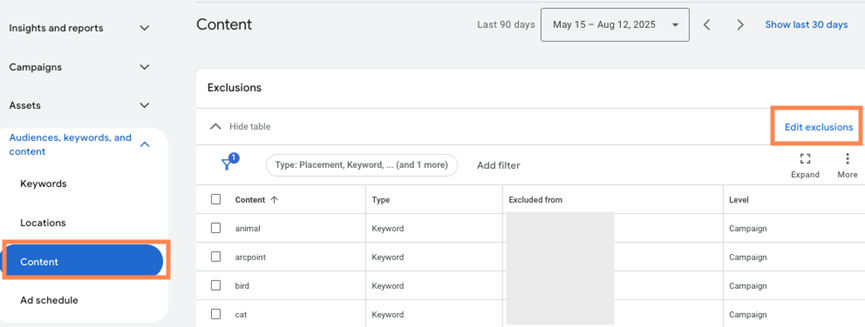
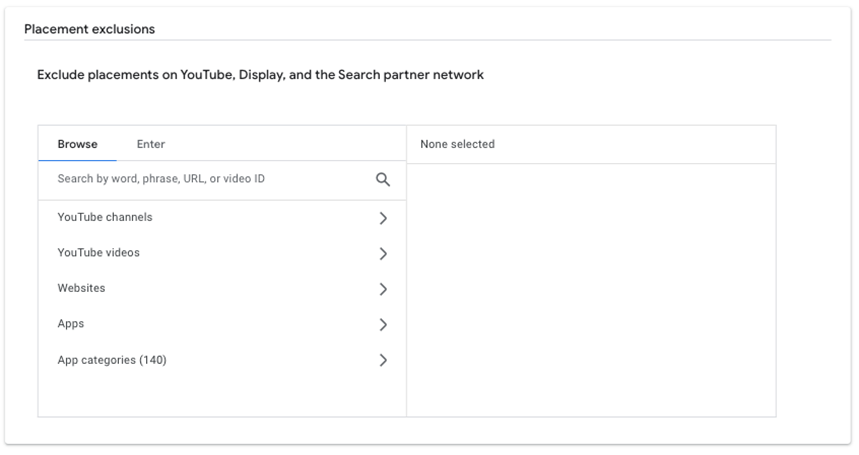
From there, if you’ve filtered your views to only Performance Max campaigns, you’ll only have the option to add them at the account level. Campaigns and ad groups will be greyed out.
Once you have selected Accountyou can either browse the list of exclusions as you can see above, or click on your enter And you can easily paste the URLs you want to avoid.
3. Channel performance insights.
The most recent release is the rollout of the Channel Performance Report. As mentioned above, PMax campaigns can appear on all Google-owned properties, but not all campaigns perform equally well on these platforms. Some avoid performance-specific locations altogether.
With the Channel Performance Report (currently in beta, but actively rolling out worldwide), you can now see which platforms your ads are showing on and understand how they’re driving your overall performance.
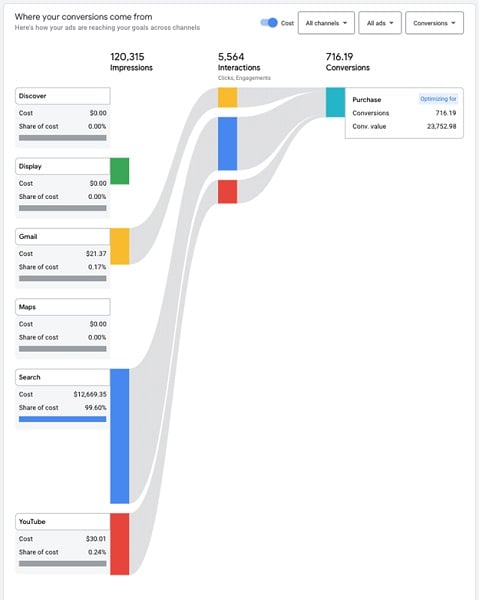
How can you optimize based on the channel performance report?
At the moment, you can’t do anything to directly affect performance on a specific channel, and you’re not able to opt out of platforms in PMAX like you can in Demand General. I personally find it interesting to see how different platforms are doing with the same ad creative. If I see that one platform performs better than another, I may need to customize my asset list to better lean into that underperforming placement without sacrificing what I’m already getting elsewhere.
PMAX Performance Issues and Solutions
Overall, there are three main reasons why you might see PerformanceMax campaigns review the tracking and reporting methods we covered above when performing poorly.
Problem #1: Not enough conversion volume.
We talked about conversion tracking earlier. Since PMax uses either maximum conversion or maximum conversion value (and their subtypes: TCPA and TROAS), having a strong conversion base is key.
Solution
If you’re not seeing many conversions and PMax is struggling, you may want to balance your PMax strategy with other campaign types to increase your conversion volume or test a different call to action that converts at a higher rate.
Problem #2: Poor targeting
It can be easy for advertisers to get discouraged and feel like they have little control over their PMax campaign because its functions are so automated. However, don’t overlook the targeting controls you can handle that can make a difference in your PMax campaign.
Solution
Targeting insights can be found in the search terms and placement reports discussed earlier. If you’re leveraging good targets and adding regular exclusions for low-quality spots, you should be in a good place.
Problem #3: Lack of advertising assets
Poor formulations can also cause low PMax performance. Many of these locations rely heavily on visual components.
Solution
Using the Channel Performance Report, you can likely infer that strong search performance combined with poor YouTube performance may mean that your video assets are not compelling. While it’s not an exact science, you can at least get some pointers on what’s performing well and adjust your creatives as needed.
Performance Max campaigns still have some blind spots for some advertisers, but they are much better than in the past. We now have more reporting and controls that help us find the customers we need and ignore the ones we don’t.
Use these reports and controls to make sure you understand if your PMax campaigns are performing and what you can do to make them more effective. For more ways to optimize your Google Ads strategy, see how our solutions can help!