
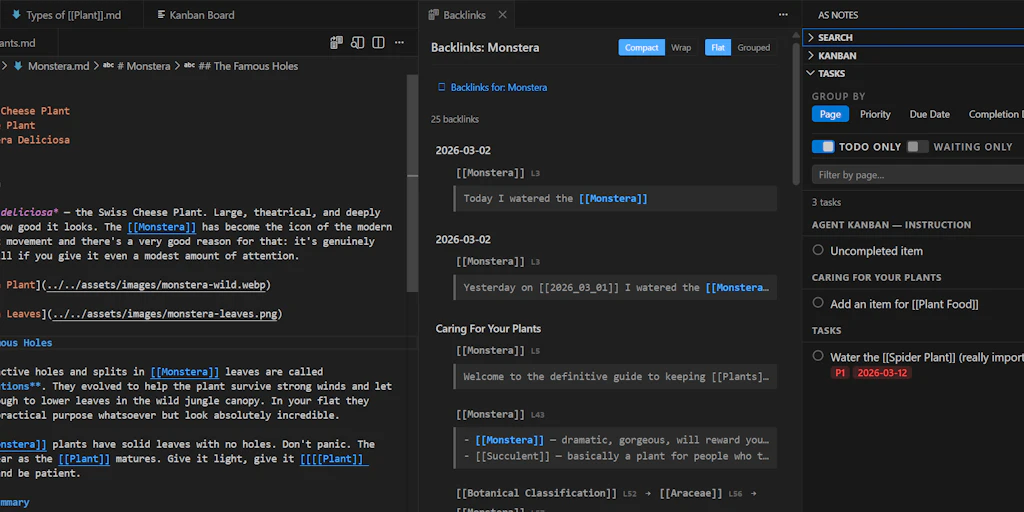
AS Notes VS Code Extension provides productivity tooling that turns your favorite IDE into a personal knowledge management system (PKMS), including backlinks view, task management, journals, a Kanban board, Markdown editing tools, Mermaid, LaTeX math support and Jekyll/Hugo-like publishing.
Markdown with wiki links in notes is a quick and efficient way to capture and link information to build personal knowledge bases and create documents.
The problem is that many PKMS tools (even those that use Markdown) tend toward specific use cases and information structures, which makes them unsuitable for software developers who often need to work with sidecode and documentation in their IDE (VS Code is the world’s most popular IDE in 2026), or may be restricted in which tools are allowed to be installed in a work environment. AS Notes is also compatible with VS Code forks such as cursors.
AS Notes aims to be the “Swiss Army Knife” of knowledge management tools. It goes far beyond markdown and wiki links. It is itself a Markdown editor with inline styling, mermaid and latex rendering, and includes a backlink view, task management, kanban board, templating and more. AS Notes supports standard Markdown and Outliner modes, and supports any flat file system or folder structure. AS Notes can be used to manage your personal knowledge base or for publishing static documents and blog sites.
All of this comes with a built-in editor in VS Code, along with a rich extension library that you can use in conjunction with AS Notes.